
Building Your First App
This tutorial will guide you through how to build a simple web application backed by HydroServer data.
We’ll use the @hydroserver/client TypeScript package to build a small browser app that will:
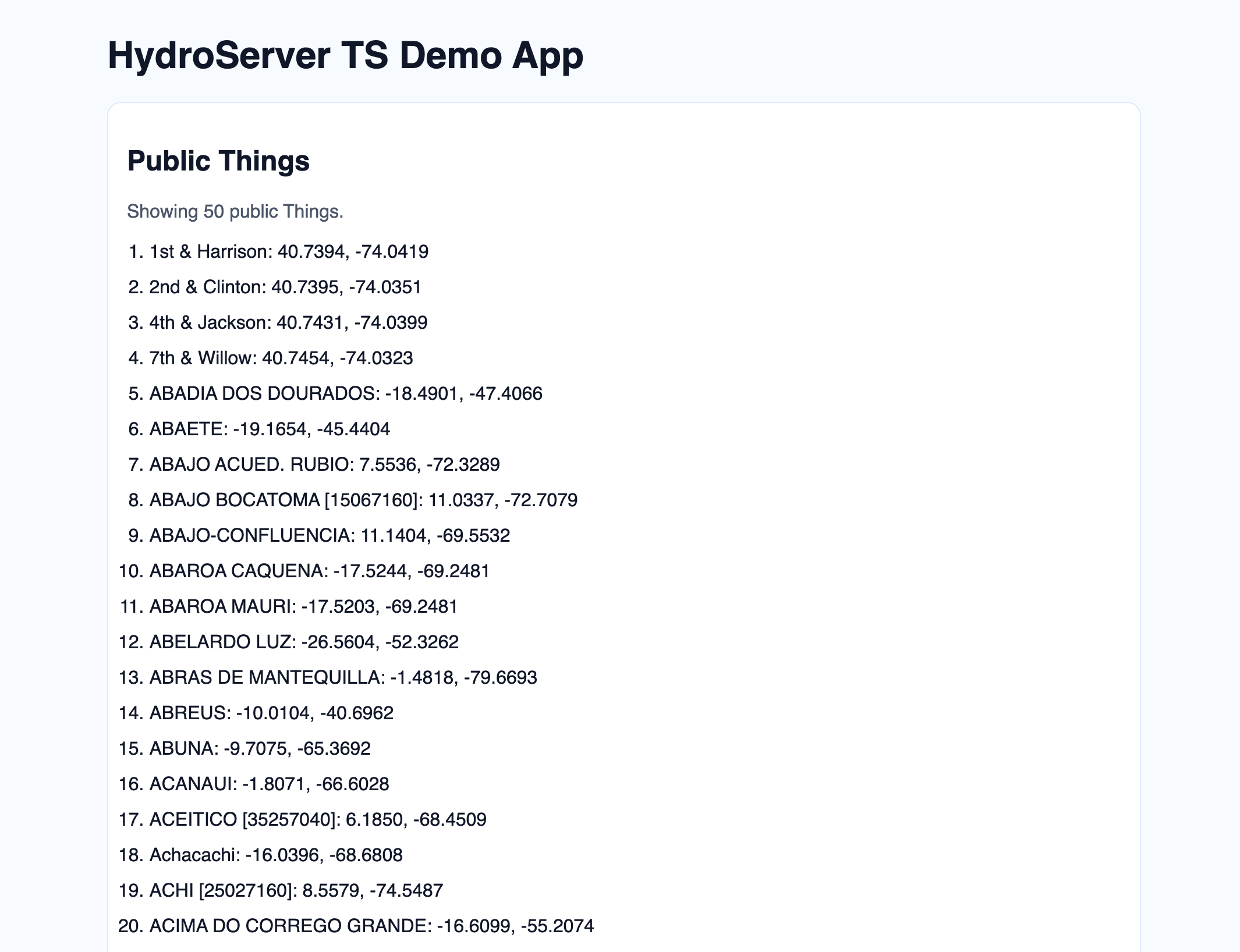
- Fetch a page of the first 50 public Things currently on playground.hydroserver.org
- Print each Thing with a location
The API client is written in TypeScript and gives you typed models and typed API methods end-to-end, but of course using the typing features is optional, so vanilla JavaScript will work alongside the client just fine, along with your choice of frontend framework.
Preview
Prerequisites
- Node.js 20+
- A HydroServer account (you can use
https://playground.hydroserver.org)
1. Create a new frontend project
We’ll use Vite with TypeScript to keep the example focused on the client and framework-agnostic.
npm create vite@latest hydroserver-ts-demo -- --template vanilla-ts
cd hydroserver-ts-demo
npm install
npm install @hydroserver/client
2. Add project files
When running locally, proxy HydroServer API routes through Vite so browser requests stay same-origin.
import { defineConfig } from "vite";

export default defineConfig({
  server: { proxy: { "/api": "https://playground.hydroserver.org" } },
});<!DOCTYPE html>
<html lang="en">
<head>
<meta charset="UTF-8" />
<meta name="viewport" content="width=device-width, initial-scale=1.0" />
<title>HydroServer TS Demo App</title>
</head>
<body>
<main class="app">
<h1>HydroServer TS Demo App</h1>
<section class="card">
<h2>Public Things</h2>
<p id="status" class="muted">Loading...</p>
<ol id="things-list" class="thing-list"></ol>
</section>
</main>
<script type="module" src="/src/main.ts"></script>
</body>
</html>import "./style.css";
import hs, { createHydroServer, type Thing } from "@hydroserver/client";
await createHydroServer({ host: "" });
const status = document.querySelector<HTMLParagraphElement>("#status")!;
const list = document.querySelector<HTMLOListElement>("#things-list")!;
const row = ({ name, location }: Thing) => {
const li = document.createElement("li");
const lat = Number(location.latitude).toFixed(4);
const lon = Number(location.longitude).toFixed(4);
li.textContent = `${name}: ${lat}, ${lon}`;
return li;
};
const res = await hs.things.list({
page: 1,
page_size: 50,
order_by: ["name"],
is_private: false,
});
if (!res.ok) {
status.textContent = res.message;
} else {
const things: Thing[] = res.data;
list.replaceChildren(...things.map(row));
status.textContent = `Showing ${things.length} public Things.`;
}:root {
font-family: "IBM Plex Sans", "Segoe UI", sans-serif;
color: #0f172a;
background: #f6fbff;
}
* {
box-sizing: border-box;
}
body {
margin: 0;
}
.app {
max-width: 920px;
margin: 2rem auto;
padding: 0 1rem;
}
.card {
background: #fff;
border: 1px solid #dbeafe;
border-radius: 12px;
padding: 1rem;
}
.muted {
color: #475569;
margin-top: 0;
}
.thing-list {
margin: 0;
padding-left: 1.2rem;
display: grid;
gap: 0.75rem;
}With this setup, the client uses host: "" so requests go through the local /api proxy.
What the API client is doing in this code
Startup and client wiring
await createHydroServer({ host: "" })initializes the client once. After that,hsis available throughout your app.One API call for Things
hs.things.list(...)retrieves page 1 withpage_size: 50, ordered by name, and limited to public Things.Rendering
The response data is mapped directly into<li>elements with Thing name and location text.Error handling style
Calls returningApiResponseshould checkresponse.okand displayresponse.messageon failure.
3. Run the app
npm run devOpen the local Vite URL (usually http://localhost:5173) and you should see the first 50 public Things with their locations.
Notes for production
- If your frontend is served by HydroServer itself, keep
host: ""and remove the dev proxy. - If your frontend and HydroServer are on different origins, configure CORS and CSRF/session cookie settings on the HydroServer deployment.
- If you prefer explicit API client instances (instead of the shared
hsexport), you can useHydroServer.initialize(...)and pass the instance through your app.
Next step
For more examples of how to use @hydroserver/client, head over the how-to guide: Use the TypeScript Client.